Hardware options
Kiosk Page
The kiosk page that is provided by aPlus+ is a webpage.
Attendees can use the kiosk page to register their arrival (and optionally, departure), from a location.
If you would like attendees to have the option to type in their identifier, then a keyboard or touch screen would be required to be accessible.
If you would like attendees to scan in, then a card reader would be required with matching cards or tags that are possessed by the attendees. The card reader must be able to support HID/Keyboard emulation mode, in order to put the card read onto the screen of the device being used.
iPads
iPads are a popular option due to the number of 3rd party mounting options that are available on the market.
iOS includes a 'Guided Access' mode that allows administrators to lock which application is running, then control which parts of the screen are available to a non-admin user to use.
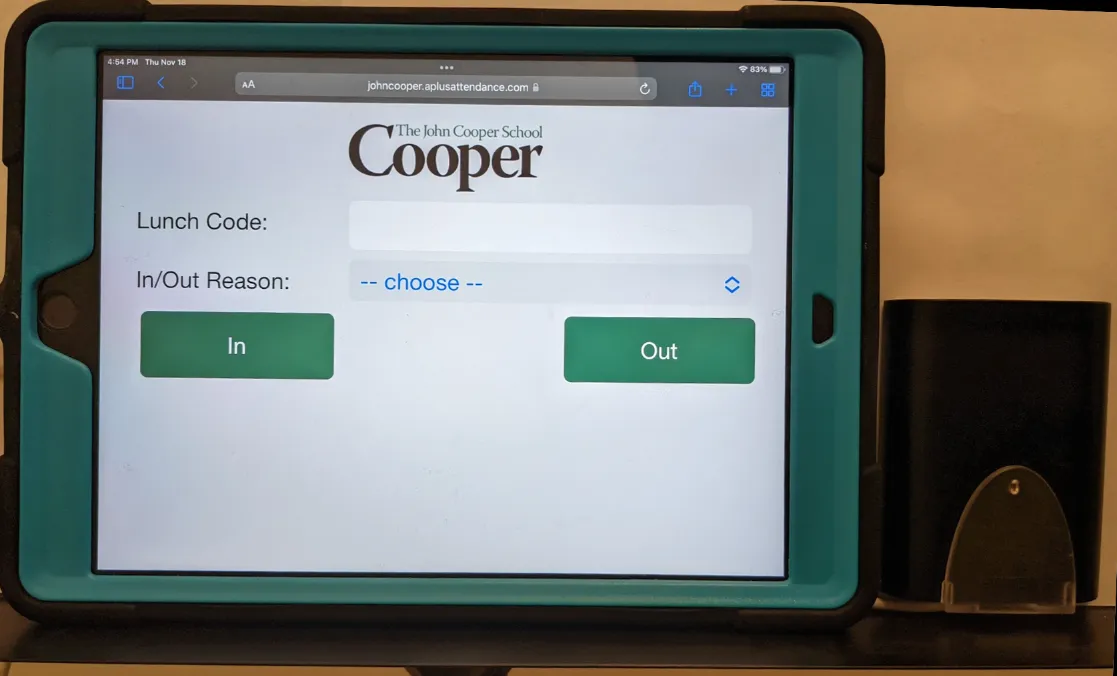
iPads and Readers
iPads can support USB readers (with an adapter), or bluetooth readers.
The adapter that is required for USB readers is the Official iPad to Camera (USB) Adapter that should have a plug for the iPad, and two plugs for scanner and power supply. The model of this required will depend on the age and model of iPad (lightning connector, vs USB C).
Windows Laptops
Laptops can be a popular option when a device is in a location where mounting is not critical. Most laptop contain a USB port so that connecting a reader is very easy.
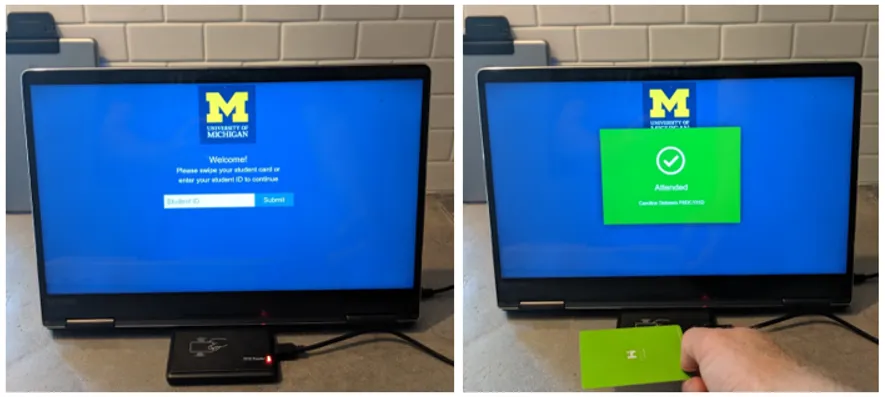
Windows Laptops and Readers
Laptops can support USB readers, or Bluetooth readers.
Other Options
We have seen customers use the following options as well
- Chromebooks
- Raspberry Pi's - This can be useful for a headless installation where you do not need a screen.